If you run a neighbourhood shop, a general store, a pharmacy counter or a small mobile and accessories outlet, you have probably been told you "need a POS". A POS, or point of sale system, is simply the software (and sometimes the hardware) you use at the counter to record sales, print or share receipts, and keep track of stock.
The problem is that there are many options, and most of them are sold with long feature lists. It is easy to pay for things you will never use, or to pick something that looks good in a showroom but slows your cashier down on a busy evening. This checklist will help you choose calmly, based on how your shop actually works.
Start with your counter, not the software
Before you look at any product, spend one normal day watching your own counter. Write down a few simple things:
- How do customers pay: cash, card, bank transfer, mobile wallet, or credit (udhaar)?
- Do you sell items with barcodes, loose items by weight, or both?
- How many people work at the counter, and do they share one machine?
- Where does stock come from, and how often do you reorder?
- What question do you ask yourself every evening that you cannot answer quickly?
These notes are your real requirements. Any POS you consider should handle them well. Everything else is a bonus.
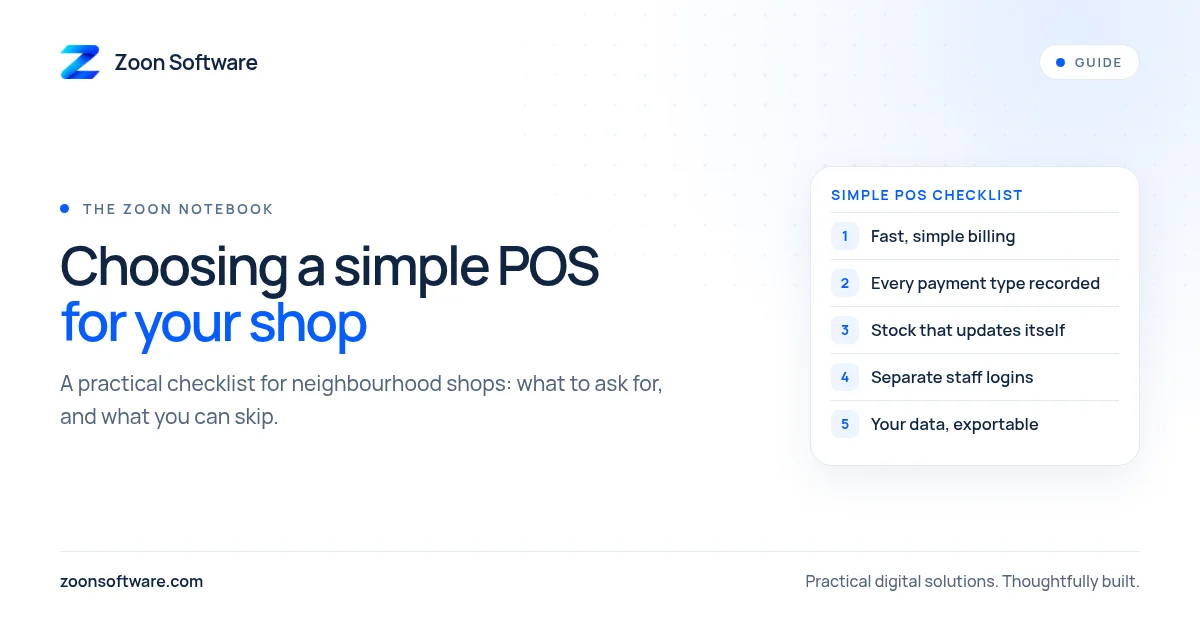
The checklist
1. Fast, simple billing
The most important job of a POS is to make a sale quickly and correctly. Ask for a live demo and try it yourself. Can you search for an item by name or scan a barcode? Can you change the quantity, apply a discount and take payment in a few taps? If it feels slow when the shop is quiet, it will feel much slower when there is a queue.
2. Works with how your customers pay
Make sure you can record each payment type separately: cash, card, bank transfer and mobile wallet. If you give credit to regular customers, check whether the POS can keep a ledger for each customer, with a running balance. If it cannot, you will end up keeping the udhaar notebook alongside the software, which defeats the purpose.
3. Stock that updates itself
Every sale should reduce stock automatically, and every purchase from a supplier should add to it. Look for low-stock alerts, so you know when a fast-moving item needs reordering before the shelf is empty. Check how easy it is to do a stock count and correct the numbers when they do not match.
4. Separate logins for owner and staff
Each person should have their own login. The cashier should be able to make sales, but not delete bills, change prices or see the full profit report unless you allow it. This protects you and also protects honest staff, because every action is linked to a name.
5. Reports you will actually read
You do not need fifty reports. You need a few clear ones: today's sales by payment type, best-selling items, items running low, money owed by credit customers, and, ideally, a simple view of profit. Ask the seller to show you these screens, and check that you can understand them without help.
6. Receipts that suit your customers
Some customers want a printed slip. Others are happy with a receipt shared on WhatsApp. A good POS should support what your customers prefer, and the receipt should show your shop name, contact details and a clear list of items.
7. Handles bad internet and power cuts
Ask directly: what happens if the internet goes down for an hour? What happens if the computer switches off in the middle of a sale? Some systems keep working offline and sync later; others stop completely. Know the answer before you buy.
8. Your data stays yours
Your sales history, customer list and stock records belong to you. Check that you can export them, for example to Excel, and that backups happen automatically. If you ever change systems, you should be able to take your data with you.
9. Support in your language and your hours
Shops are busiest in the evening and on weekends. Find out who you will call when something goes wrong, at what times, and whether they can explain things in the language you are comfortable with. Training for your staff matters too.
10. Clear, honest pricing
Ask for the full cost in writing: setup, monthly or yearly fees, hardware, extra users and future updates. A low starting price can become expensive if every small feature costs extra.
Ready-made or custom?
For many small shops, a simple ready-made POS is enough. It is worth considering a system built around your shop when you have needs that ready-made tools handle badly. For example, you might sell both loose and packed goods, run several branches, have a complicated credit system, or want the POS connected to your website or delivery orders. The right answer depends on your shop, not on what is fashionable.
Whichever way you go, start small. Begin with billing and stock for your main items, train your team for a week, and only then add customers, credit and reports. A system your staff use every day is worth more than a powerful one they avoid.
See a working example
If you would like to see what a simple shop system can look like, you can try ShopZoon, our inventory and sales demo, at shopzoon.zoonsoftware.com. It is a demo with sample data, so feel free to click around: make a sale, check stock levels and look at the reports. You can read more about how it was designed on our ShopZoon work page.
If you are not sure what your shop needs, we are happy to talk it through with you, with no pressure to buy anything. Write to us at contact@zoonsoftware.com or use our contact page, and tell us a little about your counter. We will help you work out whether a ready-made tool is enough, or whether something built for you makes more sense.