Most clinic owners start the day the same way. You walk in, ask the receptionist how many patients are booked, check whether yesterday's cash was counted, and try to remember which payments are still pending. By the time you have the full picture, the waiting area is already filling up.
A good clinic dashboard changes this. Instead of asking five people five questions, you open one screen and see what matters in a couple of minutes. This guide explains what that screen should show, what it should leave out, and how to start even if you are still using a paper register.
Why a morning view matters
A small clinic has many moving parts: appointments, doctors' schedules, payments, follow-ups, medicines and supplies. When this information is spread across a register, a cash drawer, WhatsApp chats and the receptionist's memory, the owner only finds out about problems when they become urgent.
A morning dashboard is not about fancy charts. It is about answering a few simple questions before the first patient walks in:
- How busy will today be?
- Did yesterday close properly?
- Is anything waiting for my decision?
If your dashboard answers these clearly, it is doing its job.
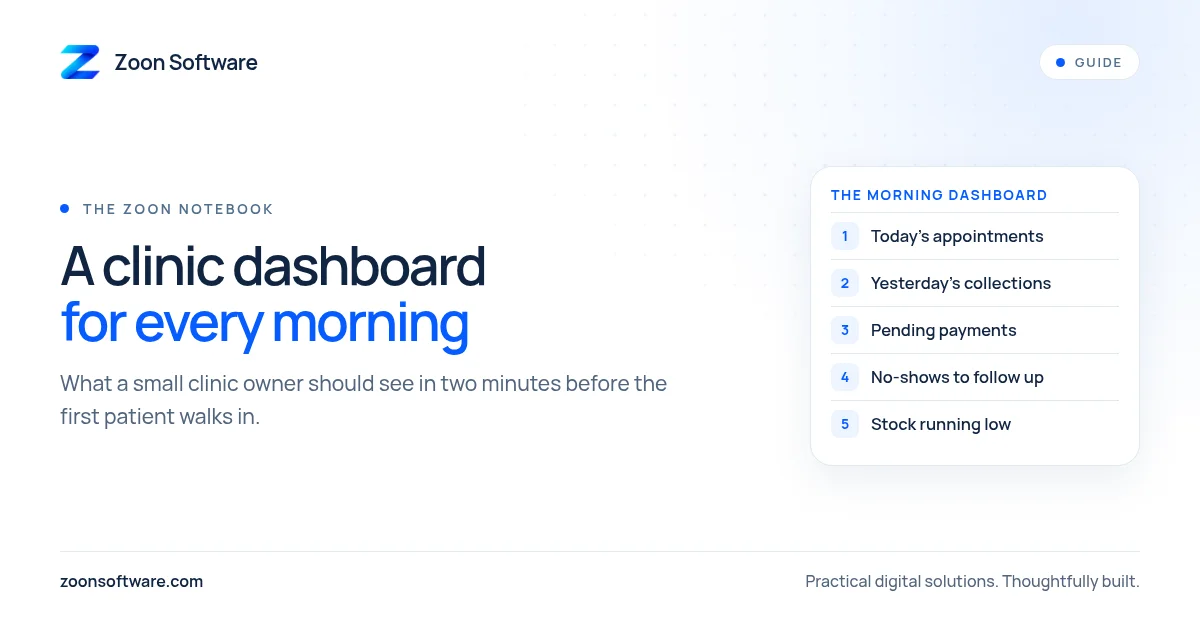
1. Today's appointments
This is the first thing you should see. A simple list or count of today's bookings, grouped by doctor and time slot, tells you:
- Whether any doctor is overbooked or has long empty gaps.
- Whether you need extra help at reception during the busy hours.
- Which patients are new and may need more time for registration.
If a doctor is on leave or running late, this is also where you notice that some patients need to be called and rescheduled before they arrive.
2. Yesterday's collections
Every owner wants to know how the previous day went. The dashboard should show yesterday's total collections, split simply by payment method, such as cash, card and bank transfer or mobile wallet.
The point is not only the total. It is whether the numbers match. If the system says a certain amount was collected in cash, that should match what was handed over at closing. A clear daily summary makes it much easier to spot a mistake early, while everyone still remembers what happened.
3. Pending payments
Many clinics have patients who pay later: follow-up visits, procedures paid in parts, or panel and corporate patients whose bills are settled separately. These amounts are easy to forget.
Your dashboard should show a short list of pending payments with the patient name, amount and how long it has been waiting. You do not need to chase every one each morning, but seeing the list keeps it from quietly growing.
4. No-shows and follow-ups
Patients who missed yesterday's appointment, and patients who are due for a follow-up visit, are an important part of the day's work. A short list lets your receptionist send a polite reminder or offer a new time.
This is good for patients too. Someone who missed a follow-up for a blood pressure check or a dressing change may simply have forgotten. A friendly call or WhatsApp message helps them get the care they need.
5. Stock that is running low
If your clinic keeps medicines, injections, dressings or other consumables, the dashboard should flag items that are close to running out. Finding out that gloves or a common injection are finished in the middle of a busy evening is stressful and avoidable.
A simple "running low" list each morning gives you time to reorder calmly.
What to leave off the morning screen
A dashboard becomes useless when it tries to show everything. Keep these for weekly or monthly reports instead:
- Long charts of trends over many months.
- Detailed reports for every doctor and every service.
- Settings, user management and other admin pages.
The morning view should fit on one screen and be readable on a phone. If you have to scroll for a long time, it is too much.
Who should see what
Not everyone in the clinic needs the owner's view. Reception staff need today's appointments and follow-up lists. Doctors need their own schedule and patient history. Financial summaries and pending payments are usually for the owner or manager only.
Giving each person their own login with the right access keeps sensitive information private and makes each screen simpler for the person using it.
How to start, even without software
You can try the idea today with a simple routine. Ask your receptionist to prepare a short note each morning with five lines: today's bookings, yesterday's collections, pending payments, missed appointments and low stock. Read it with your tea before the clinic opens.
After a few weeks you will know which lines you actually use and which you ignore. That is valuable, because it tells you exactly what a digital dashboard should show when you are ready for one. Software then does the counting automatically, so your staff stop preparing the note by hand.
See an example
If you want to see how appointments, patient records and billing can sit together in one system, you can explore our MediZoon demo at medizoon.zoonsoftware.com. Please note that it is a demo with sample data, not a real clinic. You can also read more about it on our MediZoon project page.
If you would like a dashboard built around how your own clinic works, we are happy to talk it through. Email us at contact@zoonsoftware.com or use our contact page.