Sooner or later, every growing business asks the same question: should we buy a ready-made app, or have something built just for us? Both are good answers in the right situation. The trouble is that people often choose based on price or a sales pitch, and then feel stuck a year later.
This guide gives you a simple way to decide, written for clinics, real estate offices, shops and coaching centres.
What "off-the-shelf" and "custom" actually mean
An off-the-shelf app is software that many businesses use as it is. You sign up, pay a monthly or yearly fee, and start using it. Think of a standard accounting tool, a basic billing app, or a general messaging tool.
Custom software is built around the way your business already works. The screens, fields, reports and permissions are decided with you. You own the way it behaves, and it can change as your business changes.
Neither one is better in every case. They solve different problems.
When off-the-shelf is the sensible choice
Ready-made software is often the right first step when:
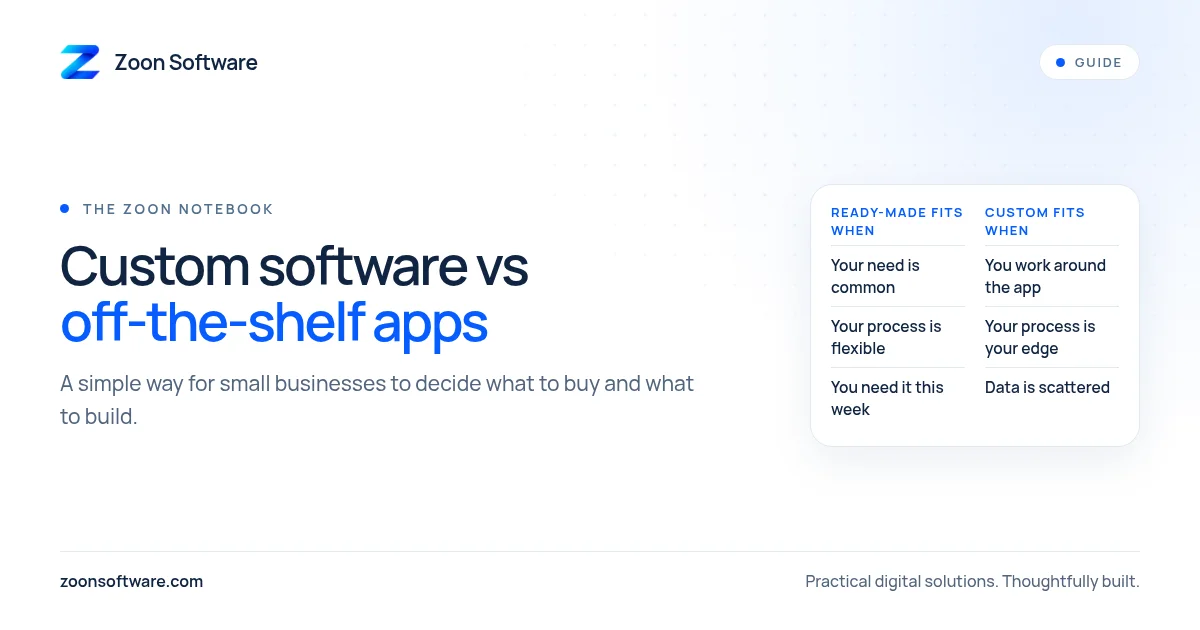
- Your need is common. Sending invoices, keeping a basic contact list or tracking simple expenses are things thousands of businesses do the same way.
- You need something this week. Signing up is much faster than a build.
- Your budget is tight. A small monthly fee is easier to carry than a one-time project cost.
- You are still learning how you work. If your process changes every month, it is too early to build around it.
If a ready-made app does 90 percent of what you need and your team is happy with it, keep it. Do not build software just because you can.
When custom starts to make sense
Custom software becomes worth a conversation when:
- You keep working around the app. If staff export data to Excel to fix what the app cannot do, the tool is not fitting you.
- Your process is your advantage. A clinic with its own way of handling visits, or an academy with its own batch and fee rules, may not fit a generic template.
- You pay for many features you never use. Some tools are large because they serve everyone, and you carry the clutter.
- You need different access for different people. Owner, receptionist, cashier and teacher should each see only what they need.
- Your data is scattered. Customers in one app, payments in another and stock in a notebook is a sign that you need one connected system.
Questions to ask before you decide
Take ten minutes with your team and answer these honestly:
- What exactly is the problem we want to fix? Write it in one sentence.
- Does a ready-made app already solve it? Have we tried one properly, not just looked at the website?
- What do we do by hand today that the software would need to handle?
- Who will use it every day, and will they actually use it?
- What happens to our data if we stop paying or want to leave?
- How much will this cost over two or three years, not just the first month?
- Who will fix it or improve it when something changes?
Question five and question seven are the ones people skip. A cheap tool you cannot leave, or a custom system nobody maintains, can cost more than it saves.
A middle path: start small
You do not have to choose all-or-nothing. A common approach is to use a ready-made app for the common parts, and build only the one piece that is truly specific to you. For example, keep using a standard accounting tool, and build a simple system for appointments, listings or fees.
Another approach is to start with a small first version that covers the most painful problem, use it for a month, and then add to it. Starting small keeps the cost lower and lets real use guide what you build next.
A quick way to check your situation
- If your need is common and your process is flexible, lean towards off-the-shelf.
- If your team keeps fighting the tool, or your process is what makes you different, look at custom.
- If you are unsure, write down the problem and talk to someone before spending money either way.
See what a focused system looks like
If it helps to see an example, we have built three demo systems for common small business types. They are demos with sample data, so you can click around freely without any real records involved:
- MediZoon, for clinics
- EstateZoon, for real estate offices
- ShopZoon, for shops
You can also read more on our work page.
Talk to us, no pressure
If you are weighing this decision and want a second opinion, we are happy to listen. Tell us what your business does and what is slowing you down, and we will give an honest view, even if the answer is that a ready-made app is enough. Write to us at contact@zoonsoftware.com or use the contact page.