Every shopkeeper knows the feeling. A regular customer walks in, asks for the item they always buy, and the shelf is empty. You say "kal aa jayega" and hope they come back tomorrow instead of going to the shop down the road. One empty shelf does not ruin a business, but when it happens again and again with your best-selling items, customers slowly learn that your shop is not reliable.
The good news is that running out of stock is usually not bad luck. It is a planning problem, and planning problems can be solved with a simple routine. This guide explains how low-stock alerts work, how to set them up with a notebook or with software, and how to make reordering a calm weekly habit instead of a last-minute rush.
Why shops run out of their best items
In most small shops, stock lives in the owner's head. The owner walks past the shelves, notices what looks low and calls the supplier. This works when the shop is small and the owner is always there. It breaks down when:
- The owner is busy or away. Staff may not notice that an item is running low, or may not feel it is their job to say so.
- Fast items move faster than expected. Before Eid, Ramadan, school openings or weddings, demand jumps and normal habits are not enough.
- Suppliers need time. If your supplier delivers only on certain days, noticing a low shelf on the wrong day means days without that item.
- Stock is hidden. Boxes in the back room or godown make it hard to see the real count at a glance.
The common thread is that nobody gets a clear signal at the right time. A low-stock alert is simply that signal.
What a low-stock alert actually is
A low-stock alert is a rule you set for each important item: "When this item drops to this level, it is time to reorder." That level is called the reorder point. When stock reaches it, someone is told, either by a mark in a notebook or a message on a screen.
The reorder point should not be zero. It should be the amount you expect to sell while you wait for the next delivery, plus a small safety cushion. For example, if you usually sell a few packs of a certain item each day and your supplier takes two days to deliver, your reorder point should cover at least those two days of sales, plus a little extra for busy days.
You do not need exact numbers to start. Your own experience of how fast items move is a good first guess, and you can adjust it after a few weeks.
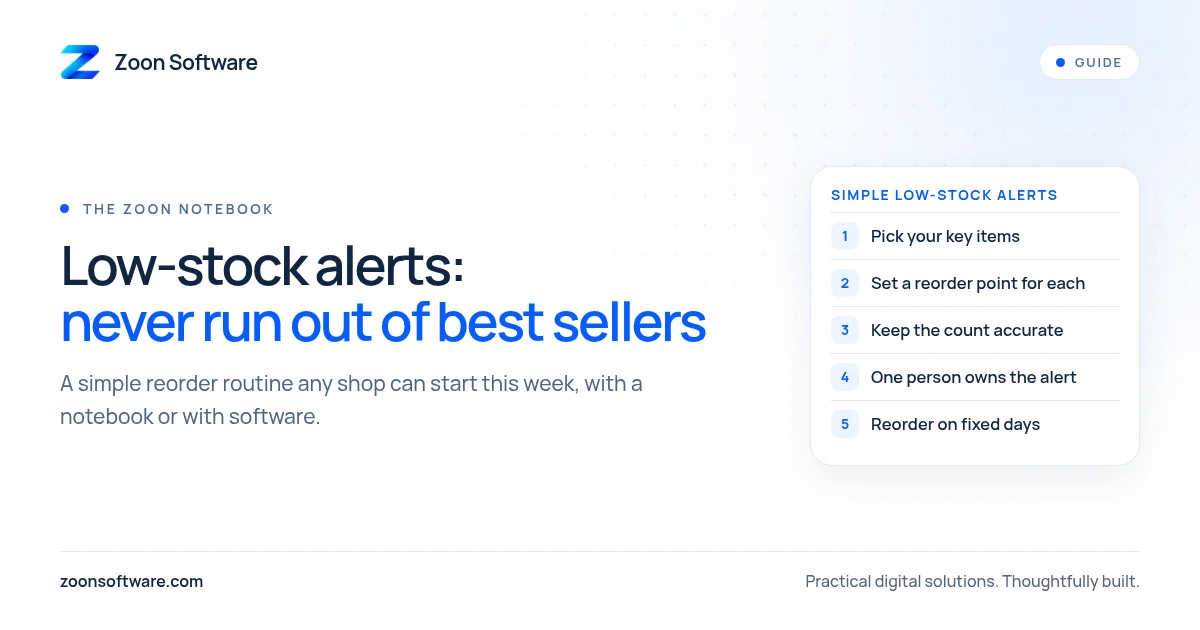
Step 1: Pick the items that matter most
Do not try to set alerts for every item on day one. Start with the products that customers come in specifically to buy, and the ones that bring you the most sales. In a general store this might be cooking oil, flour, sugar, milk, tea or popular snacks. In a pharmacy, it might be common everyday medicines. In a cosmetics or mobile accessories shop, it is your top sellers.
A list of twenty to thirty key items is a strong start. These are the items where an empty shelf costs you the most.
Step 2: Decide a reorder point for each item
For each item on your list, write down three things:
- How fast it usually sells (per day or per week).
- How long your supplier takes to deliver after you order.
- Your reorder point, the stock level at which you will place an order.
Be a little generous at first. It is better to reorder slightly early than to run out. After a month, you will see which items you are ordering too early and which ones still run short, and you can adjust.
Step 3: Make counting easy
An alert only works if your stock count is correct. With a notebook, this means counting your key items on fixed days, for example every Monday and Thursday, and writing the count next to the reorder point. Anything at or below its reorder point gets circled and goes on the order list.
With software, counting becomes automatic. Each sale reduces stock, and each supplier delivery adds to it. You only need a physical count from time to time to catch damage, expiry or mistakes.
Step 4: Give the alert to the right person
Decide clearly who acts on the alert. In some shops it is the owner. In others, a trusted senior staff member prepares the order list and the owner approves it. What matters is that the job belongs to someone. An alert that everyone sees but nobody owns is easy to ignore.
Step 5: Turn reordering into a weekly routine
Pick one or two fixed days to review your low-stock list and place orders, ideally a day or two before your supplier's delivery day. This keeps ordering calm and predictable. Before busy seasons, review your reorder points and raise them for items that sell faster during that time.
Notebook or software: which one?
A notebook system costs nothing and is a perfectly good way to start. If you are disciplined about counting, it will already reduce empty shelves.
Software helps when the shop gets busier, when you have more items than you can count easily, or when you want the alert to appear by itself. A simple shop system can track stock with every sale and purchase, show a list of items below their reorder point, and let the owner see this from anywhere. It also makes it easier to spot slow-moving items that are tying up your money.
A small habit with a big effect
Low-stock alerts are not complicated. They are a clear rule, an accurate count and a person who acts on it. Start with your top items this week, write down a reorder point for each, and review the list on fixed days. Your regular customers will notice that you always have what they need.
If you want to see how this looks in a real system, try our ShopZoon demo, a shop billing and stock app with low-stock alerts. It is a demo with sample data, so feel free to click around. You can also read more on our ShopZoon work page.
If you would like a simple system set up for your own shop, write to us at contact@zoonsoftware.com or use our contact page. We are happy to talk it through, with no pressure.