Walk into almost any small clinic in Pakistan and you will find a thick register on the reception desk. Names, phone numbers, dates and a few notes, written by hand. It is cheap, it never needs charging, and everyone knows how to use it.
So is it time to replace it with software? Not always, and not all at once. This guide looks honestly at what a paper register does well, where it starts to cause problems, and what a small clinic actually needs from a digital system.
What a paper register does well
A register is not a bad tool. It has real strengths:
- No setup and no learning curve. A new receptionist can start on day one.
- It works when the electricity or internet does not. Load-shedding does not stop a pen.
- It is cheap. A notebook costs very little.
- It feels familiar. Many doctors and patients are comfortable with it.
If your clinic has one doctor, a short list of regular patients and a calm reception desk, a well-kept register may be enough for now. There is no need to buy software just because others are.
Where the register starts to struggle
Problems usually appear slowly, as the clinic grows. Watch for these signs:
- Finding an old patient takes too long. Someone visited last year, and now the receptionist flips through pages trying to find their name, phone number or last prescription.
- Appointments clash. Two people book the same slot because one booking was written in the register and another was taken over the phone or on WhatsApp.
- Patient history is scattered. Notes are in the register, prescriptions are with the patient, and reports are in a file in the doctor's room.
- Nobody knows what is unpaid. Adding up the month's billing, or checking who still owes money, means sitting down with a calculator.
- One register, one place. If the doctor wants to check something from home, or a second branch opens, the register cannot be in two places at once.
- Pages get lost or damaged. Water, tea, wear and tear, or a misplaced book can mean losing months of records with no backup.
If you recognise two or three of these, the register is no longer saving you effort. It is costing you time and, sometimes, patients.
What a small clinic actually needs from digital records
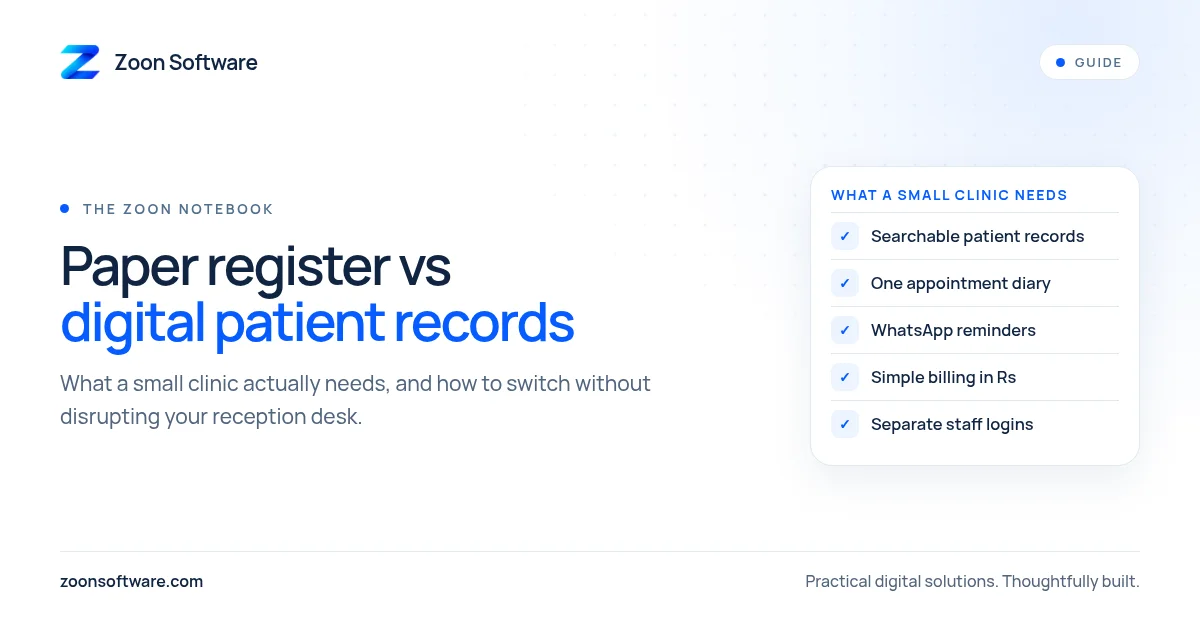
You do not need a hospital system. Most small clinics need a handful of things done well:
- A simple patient record. Name, phone number, visit history, notes and prescriptions, all in one place and easy to search.
- An appointment diary. One calendar for every doctor, so the receptionist can see free slots and avoid double bookings.
- Reminders. A quick way to remind patients about their visit, ideally on WhatsApp, since that is what most patients already use.
- Basic billing. Services, amounts in rupees, paid or unpaid, and an invoice you can print.
- Separate access for staff. The receptionist can book and check in patients, while only the owner or admin can change fees and settings.
- Works on a phone. The doctor or owner should be able to check today's appointments without sitting at the reception computer.
Anything beyond this can wait until you know you need it.
Common worries, answered plainly
"My staff are not good with computers." A good clinic system should be simpler than the register, not harder. If training takes more than a short session, the system is probably too complicated for a small clinic.
"What if the internet goes down?" Keep a small paper backup sheet at the desk for short outages, and enter those bookings later. Many clinics run both side by side during the first few weeks anyway.
"Is patient information safe?" It can be safer than a register on an open desk, as long as each staff member has their own login, passwords are not shared, and access is limited to what each role needs.
"Do I have to type in all my old records?" No. Start with new patients and today's appointments. Add older patients when they next visit. Over a few months, most of your active patients will be in the system.
How to make the switch without disruption
- Start with one thing. Usually the appointment diary, because it solves clashes straight away.
- Run both for a short time. Keep the register for a few weeks until staff are confident.
- Pick one person to own it. Often the senior receptionist. They answer questions and keep things tidy.
- Review after a month. Ask staff what is easier and what is still annoying, then adjust.
See an example
We built MediZoon to show what a simple clinic system can look like. It is a demo with sample data, not a real clinic. It includes a public booking page, a reception diary with calendar and list views, one-tap WhatsApp reminders with a prefilled message, patient records with visit history, notes and prescriptions, billing with printable invoices in rupees, a dashboard for the owner, and separate Admin and Receptionist logins. It also works on a phone.
You can try the MediZoon demo or read how it works on our MediZoon work page.
Not sure if your clinic is ready?
If you are still happy with your register, that is fine. If you are starting to feel its limits, we are happy to talk it through, with no pressure. Tell us how your clinic works today and what keeps going wrong.
Write to us at contact@zoonsoftware.com or use our contact page.