Patients trust a clinic with some of the most personal details of their lives: their illnesses, their medicines, their test reports, their phone numbers and home addresses. Most small clinics take that trust seriously. But in a busy day, with a crowded waiting area and one or two people at reception, information can slip out in small, ordinary ways. A register left open on the counter. A shared WhatsApp group with lab reports in it. One password that everyone knows.
The good news is that protecting patient information does not need a big IT team or an expensive system. It mostly comes down to a few clear habits that everyone in the clinic follows. This guide covers the simple ones that make the biggest difference.
Start by knowing what you hold
Before you can protect information, it helps to know where it lives. Take ten minutes and list every place patient details are kept in your clinic. For most small clinics the list looks something like this:
- The appointment register or diary at reception
- Prescription copies and patient files
- Lab and test reports, on paper or as PDFs
- Phones used to message patients on WhatsApp
- A computer, spreadsheet or clinic software
- Old files in a cupboard or storeroom
Once you can see the full list, the weak spots usually become obvious. That shared phone at reception with years of chats on it is often the biggest one.
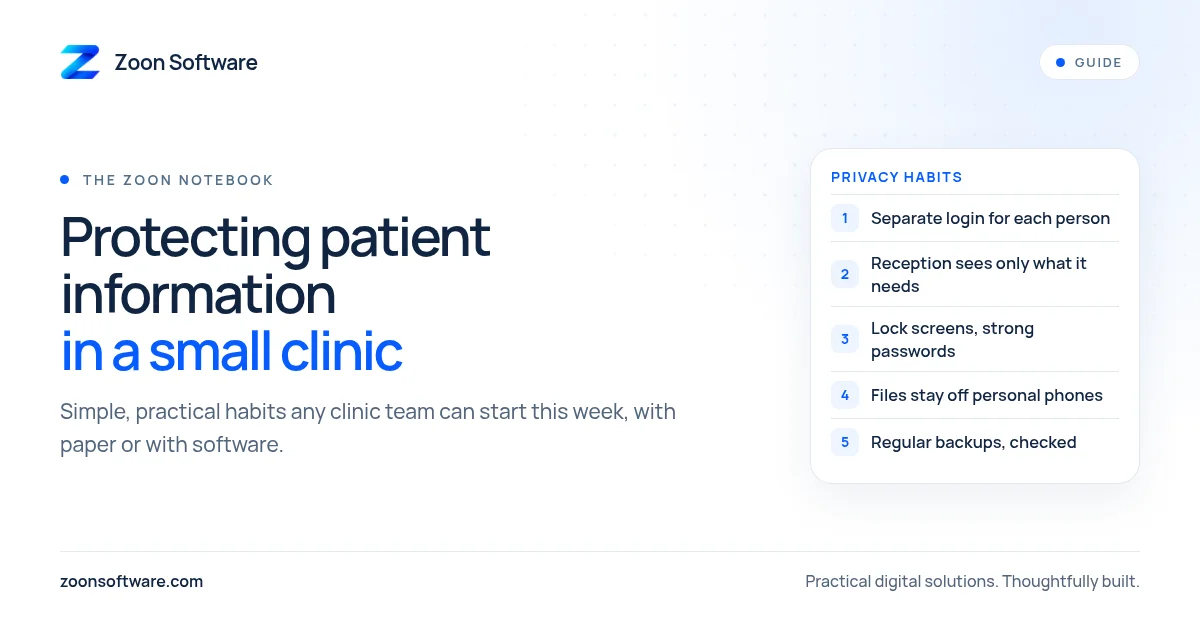
Give every person their own login
If your clinic uses a computer or software, the single most useful step is a separate login for each person. When the doctor, the receptionist and the assistant all use the same username and password, you cannot tell who looked at what or who changed a record. And when a staff member leaves, they still know the password.
With separate logins, you can remove one person's access on the day they leave, without disturbing anyone else. It also makes people more careful, because their actions are tied to their name.
Let each role see only what it needs
Reception needs to book appointments, see the day's schedule and take payments. Reception usually does not need to read a patient's full medical history or the doctor's notes. A good rule is simple: everyone should see what they need to do their job, and nothing more.
On paper, this can mean keeping clinical notes in the doctor's room rather than at the front desk. In software, it means using roles, so a receptionist account and a doctor or admin account see different screens.
Simple habits at the front desk
Many privacy problems happen in plain sight. A few small changes at reception help a lot:
- Close the register or turn the screen away when patients are standing at the counter.
- Lock the computer whenever you step away, even for a minute.
- Avoid reading out diagnoses or test results in the waiting area. Call the patient in instead.
- Do not leave printed reports on the counter for anyone to pick up. Hand them to the patient or a known family member.
None of these cost anything. They just need to become normal.
Be careful with WhatsApp and personal phones
WhatsApp is how most patients in Pakistan prefer to talk to their clinic, and that is fine. The risk is when patient reports and photos end up on staff members' personal phones, saved in their galleries and shared in groups.
A safer approach is to use one clinic phone or one clinic WhatsApp Business number for patient messages, protected with a screen lock. Avoid sending reports to group chats. When a staff member leaves, the clinic's chats stay with the clinic, not on their personal phone.
Strong passwords and locked devices
Every computer, laptop and phone that holds patient information should have a lock. Use passwords that are not easy to guess, so not the clinic's name, the phone number or "123456". Do not write passwords on a sticky note on the monitor. If possible, change important passwords when someone leaves the team.
Back up, and check your backup
Losing records is a privacy and safety problem too. A broken computer or a damaged register can mean losing years of patient history. Keep regular backups of digital records, and every so often check that a backup actually opens. For paper files, keep them in a closed cupboard, away from water and away from public areas.
Old records and disposal
Old prescriptions and reports should not go into the regular dustbin or be sold as scrap paper. Shred them or tear them properly before throwing them away. For old phones and computers, make sure the data is removed before they are sold or given away.
Where software can help
You can follow every habit above with paper and discipline. Clinic software simply makes some of it easier: separate logins, role-based screens, records that are not lying on the counter, and history that is searchable instead of buried in old registers.
If you would like to see what that looks like, you can try our MediZoon demo. It is a demo with sample data, not a real clinic, and it has separate admin and reception logins so you can see how different roles see different things. You can also read more about it on our MediZoon project page.
A simple place to start
You do not have to change everything this week. Pick two habits: give each person their own login, and stop sharing reports in group chats. Then add one more habit each month.
If you want help setting up a simple, secure system for your clinic, we are happy to talk it through with you. Write to us at contact@zoonsoftware.com or reach us through our contact page.