Many small business owners know they need software. The clinic wants fewer missed appointments. The property office wants to stop losing leads. The shop wants to know what is in stock without counting shelves. But when it is time to call a software company, the first meeting often feels confusing. The owner explains a problem, the developer talks about features, and both leave with different pictures in their heads.
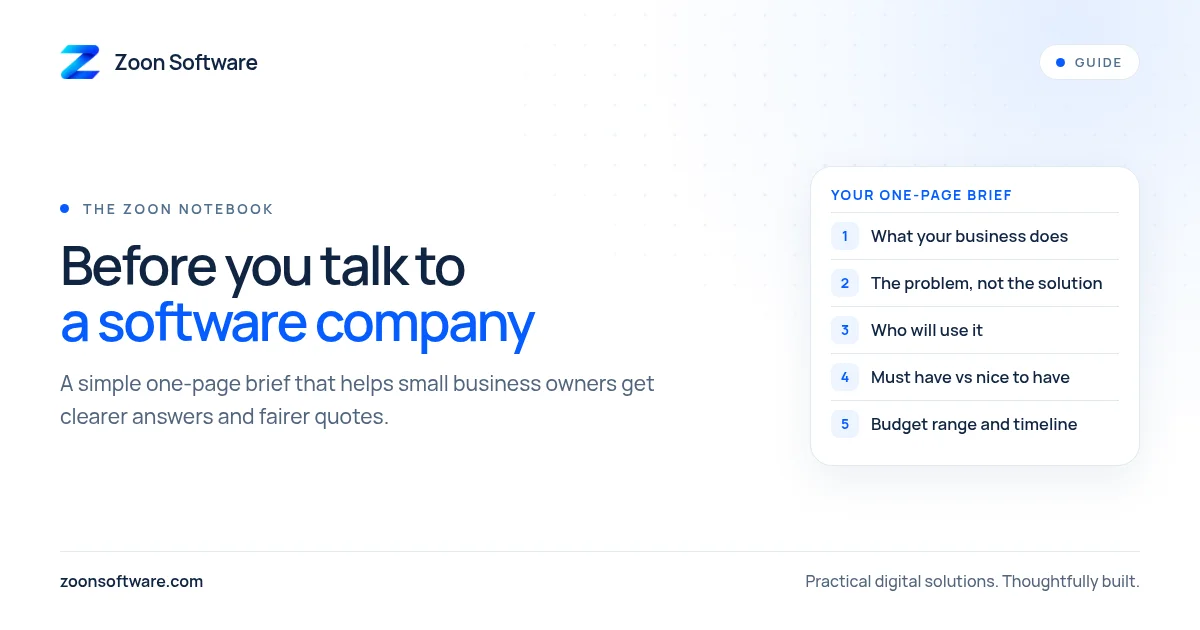
A short, one-page brief fixes most of this. You do not need technical words. You only need to write down what you already know about your own business. This guide shows you what to put on that page.
Why a one-page brief helps
A brief is simply a written summary of what you want and why. It helps in three ways.
First, it makes you think clearly before you spend money. Writing things down often shows that the real problem is smaller, or different, from what you first thought.
Second, it lets you compare companies fairly. If you give the same page to two or three developers, their answers are much easier to compare.
Third, it saves time in meetings. Instead of starting from zero, the conversation starts from your own words.
1. Describe your business in two or three lines
Start with the basics. What does your business do, where are you, and how many people work there? For example: "A small dental clinic in Rawalpindi with two doctors and one receptionist." This tells the developer the size and type of system that makes sense for you.
2. Write the problem, not the solution
This is the most important part. Many owners write "I need an app" or "I need a website with a dashboard". That is a solution. Try to describe the problem instead.
- "Patients forget appointments and we have empty slots."
- "We do not know which agent is following up which buyer."
- "We run out of popular items and only notice when a customer asks."
- "Parents call to ask about fees and we search the register every time."
A good software company will suggest the right solution once it understands the problem. Sometimes the answer is simpler and cheaper than you expected.
3. Explain how you work today
Write a few lines about your current process. Do you use a paper register, Excel, WhatsApp groups, or a mix? Who writes things down, and when? What goes wrong most often?
You can even take photos of a register page or a spreadsheet (with private details covered). This shows the developer exactly what information you handle every day.
4. List who will use the system
Make a short list of the people who will use it and what each one needs to do. For example:
- Owner: see daily summaries and reports.
- Reception or cashier: add entries and take payments.
- Doctor, agent or teacher: see only their own work.
This helps the developer plan logins and access from the start, which is much easier than adding it later.
5. Separate "must have" from "nice to have"
Make two lists. "Must have" is what you need on day one for the system to be useful. "Nice to have" is everything else.
Keep the first list short. Starting with a small first version means you can begin using it sooner, learn what really matters, and add more later. Many good systems grow this way, one step at a time.
6. Mention devices and language
Will your team use a computer at the front desk, mobile phones, or both? Is the internet at your location reliable? Do your staff prefer English, Urdu, or a mix on the screen? These small details shape the design a lot, and they are easy to forget in a first meeting.
7. Share your budget range and timeline
Many owners hesitate to mention a budget. But a rough range helps the developer suggest something realistic instead of guessing. The same goes for timing. If you need something ready before admissions season or before Ramadan sales, say so clearly.
It is fine to say "I am not sure, please suggest options". An honest company will explain what is possible within different ranges.
8. Write down your questions
Finally, list the questions you want answered. Some useful ones:
- Who will own the data, and can I export it?
- What happens if something breaks after launch?
- How will my staff be trained?
- Can I see a demo of similar work?
A simple one-page template
If it helps, copy this outline:
- About us: two or three lines.
- The problem: what goes wrong today.
- How we work now: register, Excel, WhatsApp, and so on.
- Who will use it: roles and what each needs.
- Must have / nice to have: two short lists.
- Devices and language.
- Budget range and timeline.
- Our questions.
That is all. One page is enough to start a much better conversation.
See examples before you decide
If you want to see what small business systems can look like, we have built demo apps with sample data for a clinic, a real estate office and a shop. You can explore them on our work page. They are demos, not client projects, but they can help you decide what you want on your own brief.
When your page is ready, or if you would like help writing it, send it to us at contact@zoonsoftware.com or through our contact page. We are happy to read it and suggest a simple first step.